
ATAK / TAK
Bidirectional Cursor-on-Target interoperability with TAK clients and servers
The TAK integration provides bidirectional data exchange with Tactical Assault Kit (ATAK, WinTAK, iTAK) clients using the Cursor-on-Target (CoT) XML protocol. Entities flow in both directions — TAK positions and chat messages appear in Hydris, and Hydris entities are broadcast to connected TAK clients.
Setup
- Open the command menu with
Ctrl+K(or⌘+Kon macOS) and select Configuration - In the sidebar, find TAK under Network
- Select a connection mode and click Create
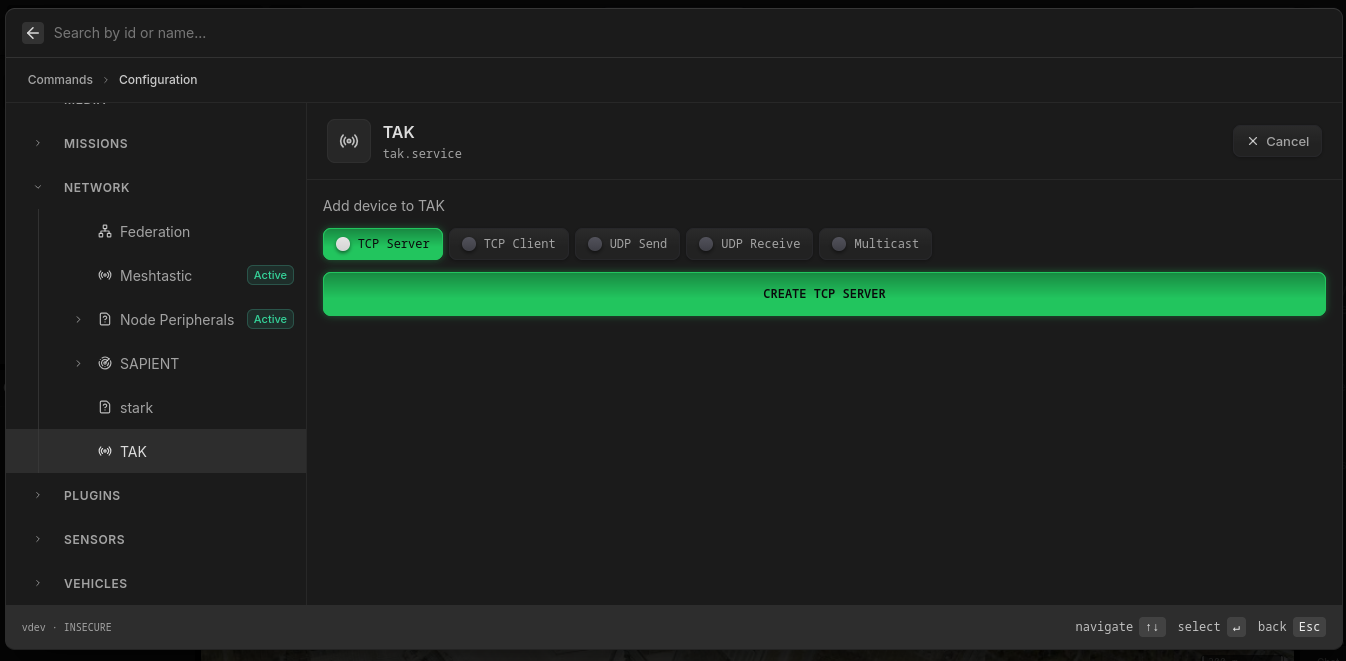
This creates a new device under TAK in the sidebar. Fill in the settings for your chosen mode and click Apply Configuration.
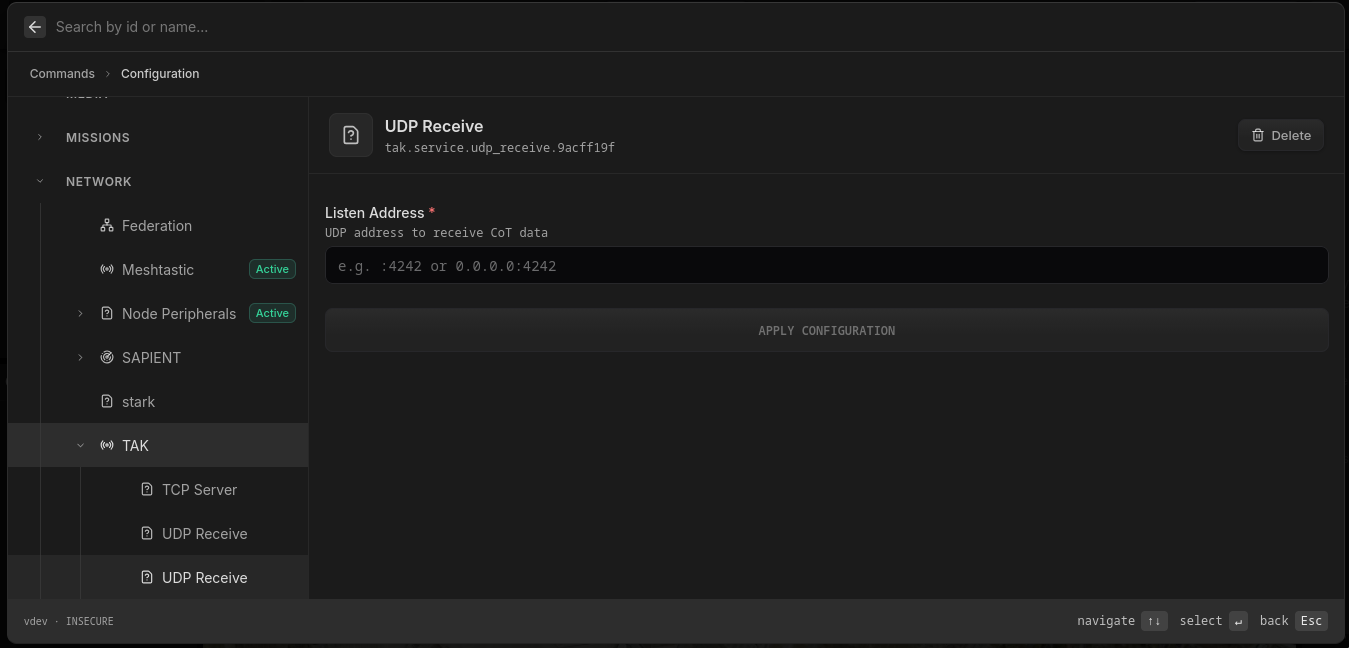
You can add multiple devices — for example a Multicast for the local network and a TCP Client to a remote TAK server simultaneously.
Once applied, the device shows an Active badge and entities from connected TAK clients begin appearing on the map. New to adding sources? Start with Connect Your Systems.
Connection Modes
Multicast
The most common mode for TAK interop. Broadcast entities to a UDP multicast group so all TAK clients on the network receive them automatically, and vice versa. Bidirectional.
| Setting | Default | Description |
|---|---|---|
| Address | 239.2.3.1:6969 | Multicast group address |
| Max Rate Hz | 0 | Rate limit in Hz (0 = unlimited) |
TCP Server
Accept incoming TAK client connections. Point your TAK clients at this address.
| Setting | Default | Description |
|---|---|---|
| Listen Address | :8088 | TCP address to listen on |
Data flows bidirectionally: incoming CoT from clients is parsed into Hydris entities, and Hydris entity changes are broadcast as CoT to all connected clients.
TCP Client
Connect to a remote TAK server (e.g. a FreeTAKServer or TAK Server instance).
| Setting | Default | Description |
|---|---|---|
| Address | required | Remote TAK server address (e.g. tak-server:8088) |
| TLS | false | Enable TLS encryption |
| TLS Skip Verify | false | Skip certificate validation (insecure) |
| TLS Cert | Path to client certificate PEM file | |
| TLS Key | Path to client key PEM file | |
| TLS CA | Path to CA certificate PEM file |
Supports mutual TLS for secure TAK server connections. Automatically reconnects after 5 seconds on disconnection.
UDP Send
Broadcast Hydris entities as CoT to a specific UDP destination. Outbound only.
| Setting | Default | Description |
|---|---|---|
| Address | required | UDP destination (e.g. 192.168.1.100:4242) |
| Max Rate Hz | 0 | Rate limit in Hz (0 = unlimited) |
UDP Receive
Listen for incoming CoT UDP datagrams. Inbound only.
| Setting | Default | Description |
|---|---|---|
| Listen Address | required | UDP address to listen on (e.g. :4242) |
Entity Mapping
Inbound (CoT → Hydris)
Incoming TAK entities are created with the ID prefix tak.*. The following CoT fields map to Hydris components:
| CoT Field | Hydris Component |
|---|---|
point.lat / point.lon | geo.latitude / geo.longitude |
point.hae | geo.altitude (meters, Height Above Ellipsoid) |
detail.contact.callsign | label |
CoT type (a-f-G-...) | symbol.milStd2525C (auto-converted) |
detail.__chat | chat (sender, recipient, message text) |
Outbound (Hydris → CoT)
Hydris entities with a geo component are broadcast as CoT position reports. The MIL-STD-2525C symbol code is converted back to a CoT type string (e.g. a-f-G-U-C-I).
Special Message Types
- Chat messages (
b-t-f): GeoChat protocol messages with sender/recipient UIDs - Entity deletion (
t-x-d-d): Force-deletes an entity from TAK clients - Ping/heartbeat (
t-x-c-t): Automatically echoed back to the sender
Loop Prevention
The integration tags all incoming entities with their origin connection to prevent echo-back. An entity received from a TAK client is never reflected back to that same client. Stale chat messages are also filtered — chat messages older than a client's connection time are not replayed.