
Meshtastic
Integrate Meshtastic LoRa radios for mesh-based position sharing
Meshtastic is an open-source mesh networking platform that runs on affordable LoRa radios. Hydris can connect to Meshtastic radios directly without the need for any meshtastic software running on the host.
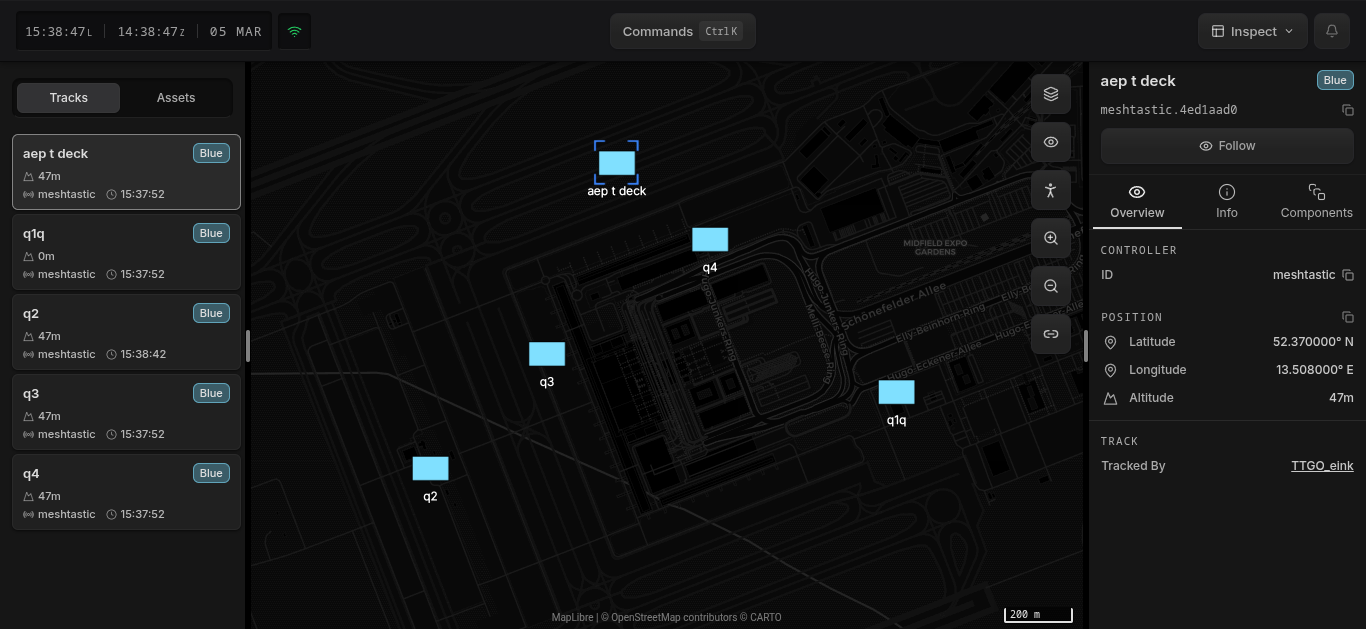
Once connected, reports from other Meshtastic nodes in the mesh appear as entities on the map. Each peer shows up with its node name and position. It also out of the box receives reports sent by ATAK over the meshtastic plugin.
Setup
Plug a Meshtastic radio into a USB port on the device running Hydris. Hydris automatically discovers the radio via serial port; radios on the auto-provisioning list are configured automatically and begin receiving position data from mesh peers, while other radios appear as candidate devices you configure manually.
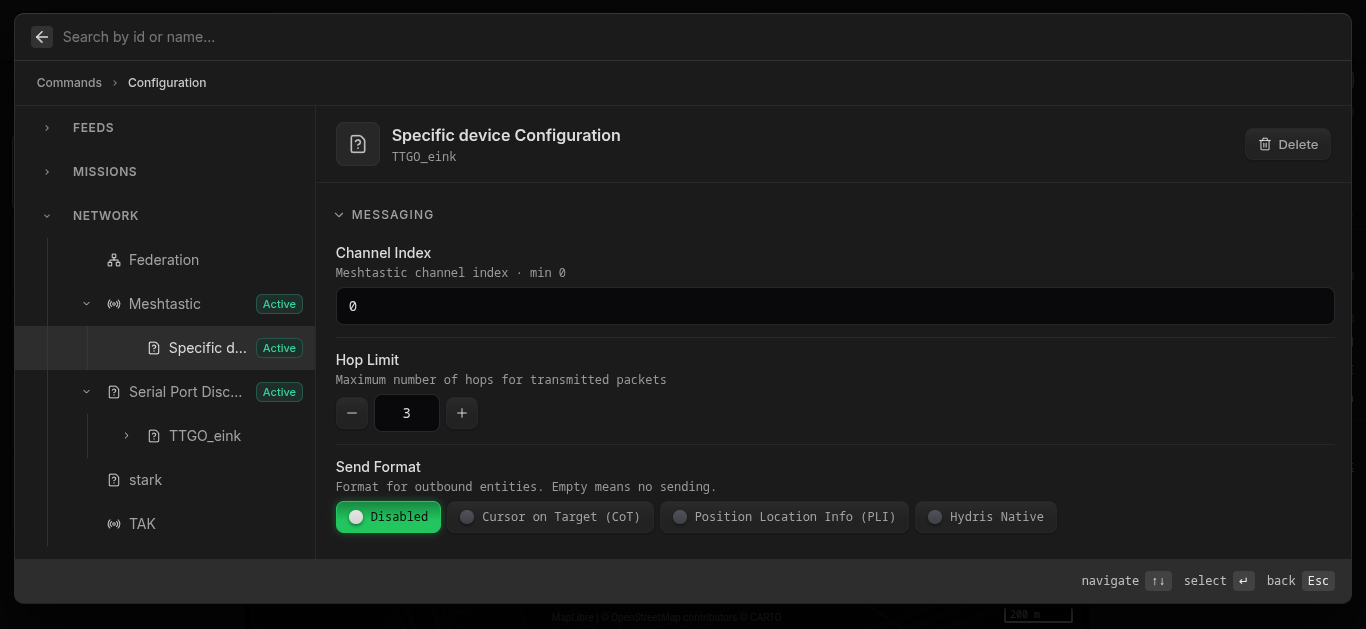
The Meshtastic service uses Auto Provisioning to automatically configure devices that match known Meshtastic vendor IDs. If your radio is not auto-detected, you can create a device config manually.
To verify or change the configuration, open the command menu (Ctrl+K / ⌘+K), select Configuration, and navigate to Network → Meshtastic.
Send Format
Hydris can also broadcast entities back to the mesh. The Send Format setting controls what protocol is used:
| Format | Description |
|---|---|
| Silent | Do not send anything to the mesh |
| Native Meshtastic Only | Standard Meshtastic position and node info. Compatible with any Meshtastic device, but carries very limited information. |
| TAK (ATAK compatible) | TAK packets, compatible with the official ATAK Meshtastic plugin — any Android device running ATAK on the mesh can receive Hydris entities. Positions and chat are sent as compact TAK protobuf; entity deletes fall back to XML CoT. |
| Hydris | Efficient binary protocol for Hydris-to-Hydris communication. Much higher information density at much lower bandwidth. Use this when all peers run Hydris. |
All formats are always supported when receiving from a radio, so only sending needs to be configured.